Subtitle Order: Drag Subtitle Blocks to Change Playback Sequence
1. Feature Overview
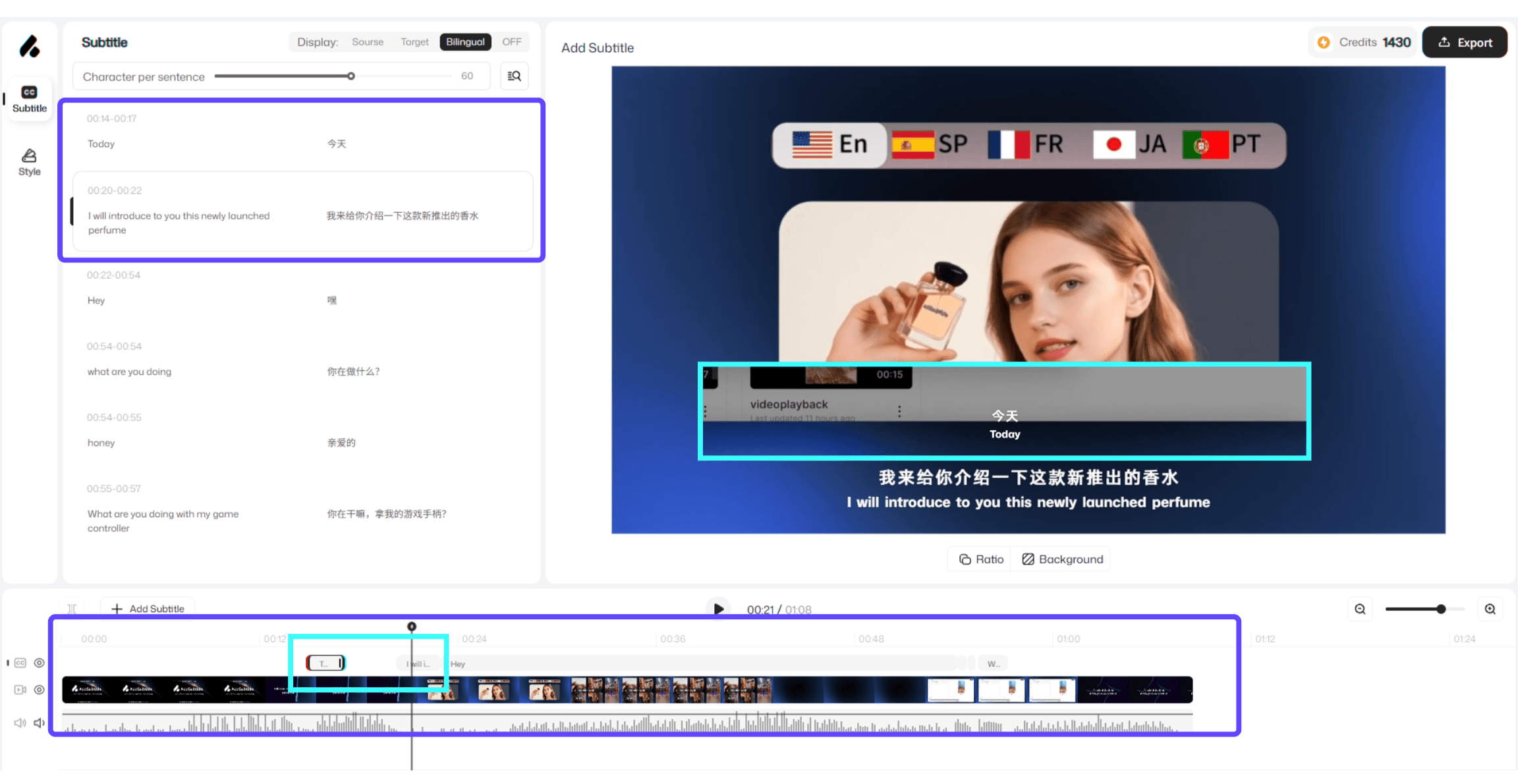
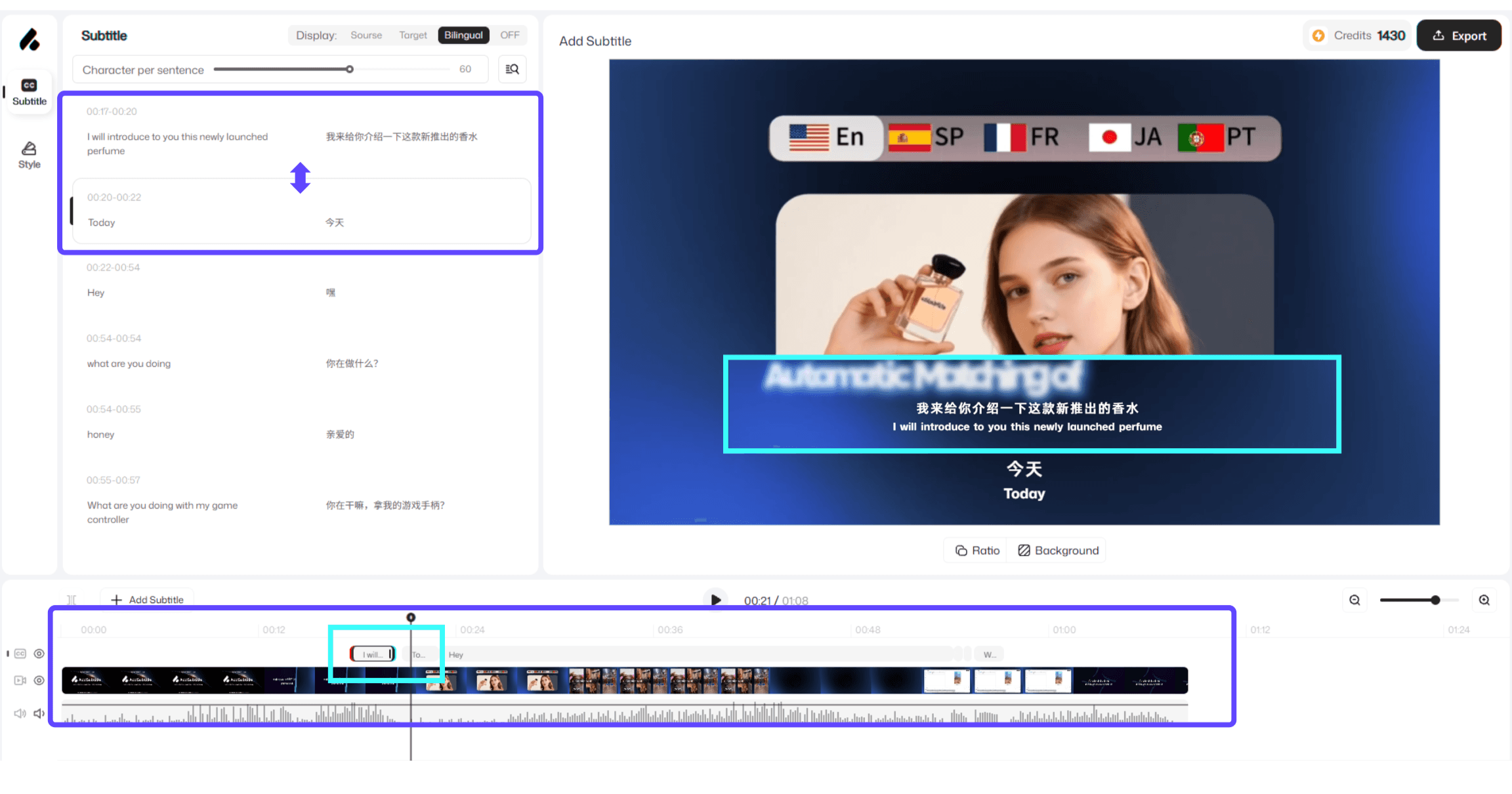
By dragging「 Subtitle Blocks 」on the timeline, you can quickly adjust when subtitles appear and change their playback order. All changes are synced to the「 Subtitles Panel 」in real time—making it easy to preview the overall pacing and proofread your content in AddSubtitle.
Before | After |
|---|---|
 |  |
2.How to Use
On the timeline, locate the 「Subtitle Block」you want to adjust.
Drag the subtitle block forward or backward to change its position on the track—this updates the subtitle playback order.
Check the「 Subtitles Panel 」to review the synced subtitle content and the final on-screen result.
3. Usage Notes
The 「Subtitles Panel 」is currently mainly for editing and proofreading content (e.g., text edits, checking missing words). It does not support changing subtitle playback order directly. To adjust the order, drag the corresponding 「Subtitle Blocks」on the timeline.