What If Subtitles Don’t Fit the Video Aspect Ratio (Vertical/Horizontal)?
Add Subtitle supports all aspect ratios—including vertical, horizontal, and square—and works smoothly for short-form videos too.
If your subtitles don’t fit the frame properly, you can fix it by switching the canvas ratio or adjusting the subtitle position within the safe area to avoid cropping.
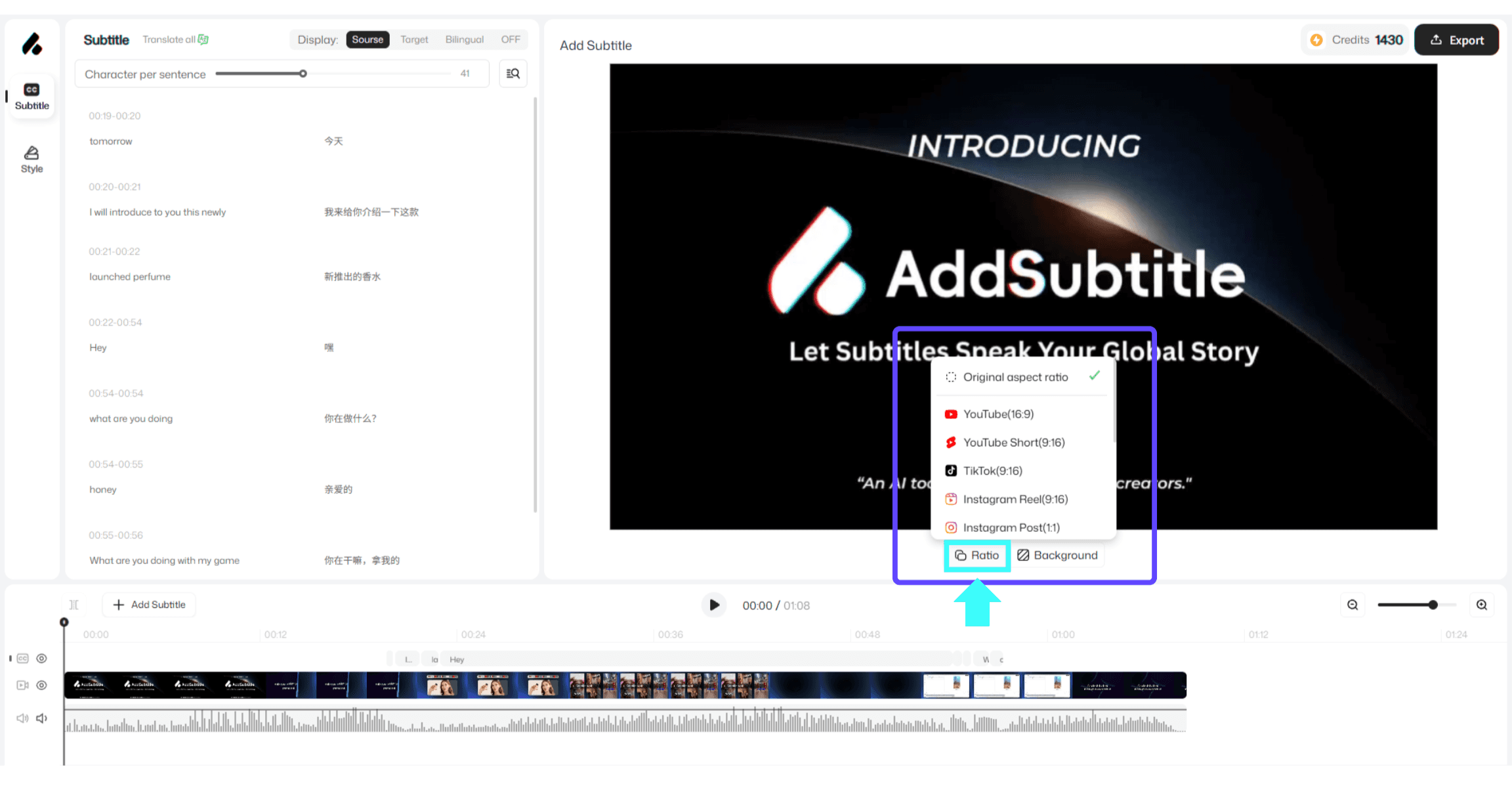
To view and change the ratio, click 【Ratio】 below the render/preview area.