Voices: Clone Your Own Voice
1、Feature Overview
Add Subtitle includes 50+ AI voices across different styles and tones—ideal for a wide range of video scenarios such as e-commerce marketing, educational explainers, story dubbing, and talking-head content. If the preset voices still don’t match what you want, you can use Voice Cloning to create a custom voice that better fits your personal style for dubbing and content creation.
Step 1 | Step 2 |
|---|---|
 |  |
2、How to Use
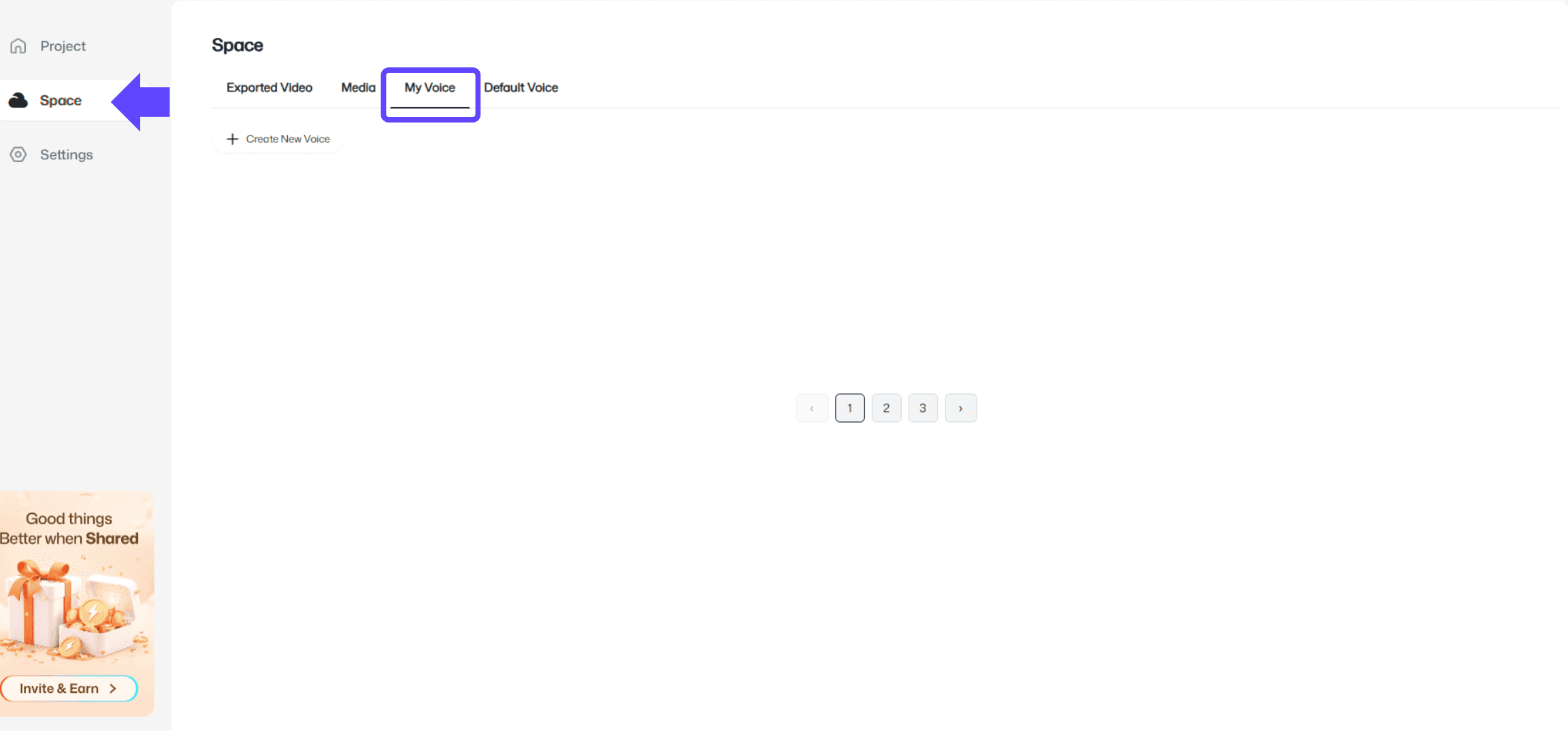
Go to the 「Space」 page, and find 「My Voices」 on the right side of the page.
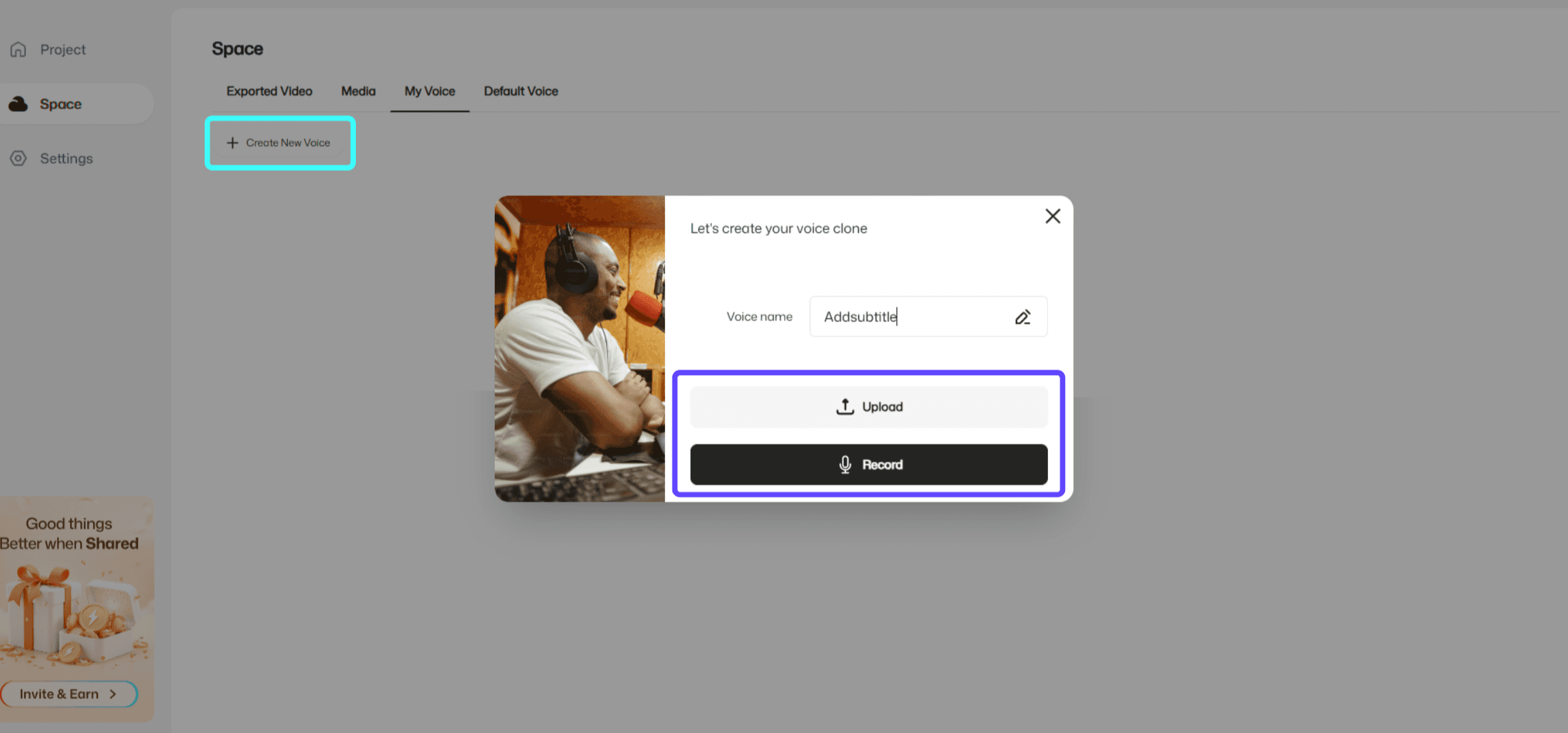
Click 「Create New Voice」.
Choose one of the following methods to generate your voice:
Upload audio: upload a pre-recorded voice sample
Record to create: record your voice directly
Once completed, the system will automatically generate your custom voice, which you can select when dubbing.
3、Usage Notes
Audio source recommendation: For more natural and stable results, use voice samples that are clear, noise-free, and without reverb/echo.
Scope: Your generated voice can be used for video dubbing, voiceover, and related features.
Where to manage: Your created voices will appear in 「My Voices」 for easy reuse anytime.